Figma to Webflow: the handoff that keeps your design intact
A developer-ready handoff covers responsive behaviour, real content, interaction states, assets, and approval responsibilities—not just desktop screens.
 By Mubarak Bello · No-Code DevUpdated
 Agree what the design specifies and what remains open
A good handoff lets me build with fewer assumptions. I need to know how the design behaves when the headline gets longer, a CMS image has a different shape, or someone uses a phone. This is the checklist I would ask your team to work through before we agree the Webflow development scope. It makes the decisions visible while they are still easy to discuss.
Hand over the publishing rules as well as the layouts
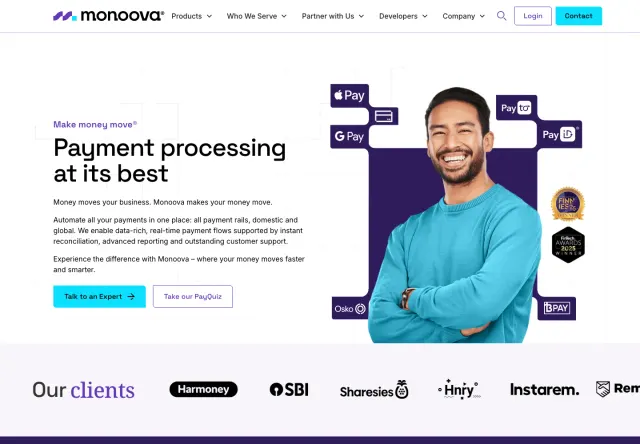
My work on Monoova includes component architecture, structured CMS collections, and templated page types. Those are decisions about how a website continues to work after the first set of pages is finished. When reviewing a design handoff, I want the same distinction made explicit: which sections repeat, what editors can change, and which content variations the layout needs to handle.
For one template, include a short title, a long title, a missing optional field, and a different image ratio. Decide how each should behave.
Inventory page types and reusable components
Separate unique page layouts from repeated content. A homepage, an article template, and a case-study template are different development tasks; twelve case studies may share one layout but still need content population and checking. List shared navigation, cards, buttons, forms, and calls to action. Mark deliberate variations, such as a compact card or a dark section. This helps the developer build a consistent system and gives the agency a more meaningful review than comparing unrelated screenshots one pixel at a time.
Specify behaviour between the supplied screens
Describe how the layout should adapt as space changes. Does a two-column section stack with the image above or below the copy? Does a comparison table scroll? When does the navigation change into a menu? Supply the important narrow-screen states, then agree who decides the intermediate behaviour. Include realistic extremes: a two-line button label, a long company name, and a paragraph that grows after translation. A responsive build should accommodate these conditions without making every future edit a development request.
Include the states that do not appear in the happy path
- Navigation: open, closed, current page, keyboard focus, and long submenu labels.
- Buttons and links: hover, focus, disabled where appropriate, and readable contrast in each state.
- Forms: required fields, invalid input, sending, accepted submission, rejection, and network interruption.
- Content: missing optional images, long headings, empty lists, and unusually short entries.
- Motion: trigger, sequence, interruption behaviour, and the reduced-motion alternative.
- Media: poster images, play controls, captions where needed, and the mobile presentation.
Treat CMS structure as part of the design
Webflow Collections organise repeated content through fields and items. Before building, map the design to the information editors will supply: title, summary, category, image, image description, and any optional sections. Explain which fields are required and what should happen when an optional field is absent. A case study with no testimonial should still have an intentional layout. Test one ordinary entry and one awkward entry early. That discussion often reveals a content problem while it is still inexpensive to address.
Supply assets that are ready to use
Provide the approved logos, photography, icons, font files or licensed font sources, and export guidance. Confirm who has permission to use them on the public website. Keep meaningful images separate from text baked into a composition wherever practical; the text may need to be readable, selectable, translated, or adapted on small screens. Record intended crops and focal points so mobile does not cut off the subject. Identify who supplies alternative text for informative images and which images are purely decorative.
Make review and change ownership explicit
Choose one place for implementation questions and one person to consolidate agency feedback. Separate a defect against an agreed design from a new design decision. If the end client changes a page halfway through development, update the source design and agree the effect on scope before treating the change as an overdue fix. For white-label engagements, confirm who speaks to the client, who gives final approval, and which communication or portfolio restrictions apply. Those details protect the relationship as much as a careful build does.
Review a representative page before repeating the system
Start with a page that exercises shared typography, navigation, responsive sections, and a meaningful interaction. Compare it against the agreed design at wide and narrow sizes, then review real content and keyboard use. Resolve recurring issues before rolling the system across every template. A Figma-to-Webflow plugin can help with supported transfers, but its existence does not establish that every interaction, CMS requirement, or publishing task is finished. Review the delivered website against your acceptance checklist, whichever implementation method is used.
Send a handoff a developer can estimate
Bundle approved designs, the page-type inventory, representative content, assets, state notes, integrations, and review responsibilities. Mark unresolved decisions clearly rather than presenting them as finished. No-Code Dev can review that package, identify missing pieces, and scope the development work. If you need design support as well, make that part of the engagement from the start so the quote reflects both jobs.
Sources & further reading
Working through this on your site?
Bring your questions. We’ll help you find a useful next step.