What should you own and receive after your website launches?
An understandable handover covers accounts, editing, assets, renewals, recovery, and the boundary between launch fixes and future work.
 By Mubarak Bello · No-Code DevUpdated
 Define ownership as something your team can use
I want a website handover to answer an ordinary question: if you need to change something tomorrow, do you know what to do? A folder of files is not enough when nobody knows where the site is published. An administrator login is not enough when it cannot access the domain or renew a critical service. Agree the handover while scoping the project. The result should explain what the business controls, what it can edit, and where it goes for work that needs technical help.
Ownership should include the next publishing task
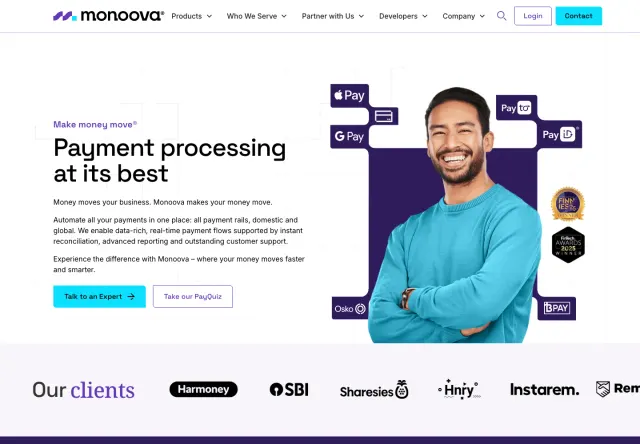
My work on Monoova included reusable sections, structured CMS collections, and templated pages. Its marketing team can publish landing pages independently. That is a useful example of ownership translated into a specific capability. For your website, I would define the equivalent task early and make it part of the handover, alongside access and documentation.
Name the person who will inherit the site and one task they must be able to complete. Ask for that task to be demonstrated at handover.
Separate control, access, and rights
These are related but different questions. Control concerns the accounts that run the website. Access concerns what each person can do inside them. Rights concern what the agreement and relevant licences allow you to use or transfer. Ask your provider to document each area rather than promising that “you own everything” without a boundary. Third-party fonts, photography, themes, plugins, and hosted services can have their own terms. Record which items are supplied, which are licensed, and where you can find the agreement governing them.
Keep an account map in a place the business controls
List the domain registrar, DNS provider, hosting or website platform, CMS, code repository where applicable, form service, analytics, booking tools, and commerce services. For each, record its purpose, account owner, billing contact, renewal responsibility, and access route. Do not put passwords into a shared project document; use your established secure access process. A business-controlled email address and a second appropriate administrator can reduce dependence on one person. Check the actual account roles rather than assuming every collaborator has ownership permissions.
Ask to perform a real editing task
Choose the updates you expect to make often: change a service description, publish an article, add a project, or update a product. During handover, have the future editor perform one of those tasks with their own access. Confirm how to preview, publish, and correct a mistake. Also identify what they cannot safely change. A client-friendly content editor and an unrestricted page designer are different experiences; routine publishing should not require a person to learn the whole implementation just to change a sentence.
Make the technical setup understandable
For a custom Astro website, ask how content reaches the site and how changes are published. Astro can use a separate CMS, but an Astro build does not automatically include one. Your agreed setup might use a CMS, managed publishing, or repository-based updates by a developer. The handover should name the actual arrangement and the accounts it needs. For hosted platforms, confirm the relevant subscription and ownership arrangement. Webflow’s client guidance, for example, describes client and collaborator responsibilities rather than treating every account as interchangeable.
Take away the material needed for future work
Request the agreed design source, brand assets, licensed asset references, content inventory, integration notes, and instructions for the delivered system. Include a record of redirects if URLs changed and a list of important journeys checked at launch. Where source-code delivery is part of the engagement, confirm repository access and the instructions another developer needs to run and publish it. Avoid relying on one long recording to carry every detail. A short account map and task-specific walkthroughs are easier to use when a question appears months later.
Agree recovery as well as publishing
Ask what can be recovered if a bad change is published, content is deleted, or an account becomes inaccessible. Different platforms and setups provide different capabilities, so request an explanation for your delivered site. Name who maintains any backups, what they cover, and who can restore them. A backup of website files may not include current orders, CMS entries, or third-party data. The useful deliverable is a realistic recovery procedure with clear responsibility, not an unsupported promise that nothing can go wrong.
Keep launch fixes distinct from later requests
At No-Code Dev, new builds include 30 days of fixes for issues within the delivered scope, starting at launch. That is different from adding a service, changing the design direction, or building a new feature. Those requests need their own scope or an agreed care arrangement. Keep a record of the delivered functionality and the route for reporting an issue. Ask what information helps reproduce it, who will assess it, and how work outside the original agreement will be estimated before it begins.
Use this handover acceptance checklist
- I can identify who controls the domain, hosting, content, and connected services.
- Billing and renewal notices reach the people responsible for paying them.
- The future editor has completed a representative update using their own access.
- I know which changes are self-service and which require technical help.
- The agreed assets, source files, documentation, and licence references are available.
- Recovery responsibilities and the route for reporting problems are documented.
- Launch fixes, ongoing support, and separately scoped improvements have clear boundaries.
You can delegate the technical work and retain control
You do not have to become a developer to own your website. You can keep control of the business accounts and the decisions while a partner handles development and ongoing changes. That is the practical meaning behind No-Code Dev: I handle the technical work, and we agree how your team wants to manage the result. Bring your preferred level of involvement into the brief so the build, editing workflow, and support arrangement all serve the same plan.
Sources & further reading
Working through this on your site?
Bring your questions. We’ll help you find a useful next step.